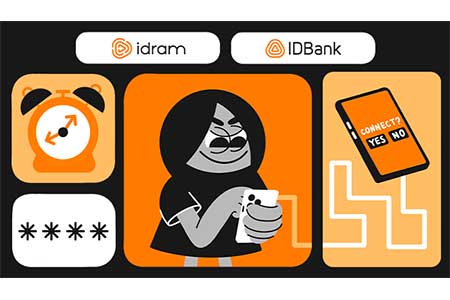


ArmInfo. Looking for a remote job these days could result in losing control over your own phone instead of bringing the long-awaited income. Scammers are actively using a sophisticated cyberextortion scheme, in which your smartphone is remotely locked under the guise of “setting up work software”, and a ransom is demanded.
How the scam works: from a “job vacancy” to device lockout
- Fake “job vacancy”. It all starts with an appealing offer on Telegram channels, Facebook groups, or other online platforms dedicated to remote job hunting. Typically, these job postings look for SMM managers, data entry workers, executive assistants, and similar roles. The promised salary is usually at or above the market rate, and the job is entirely from home.
- The interview. They message you in a friendly way, ask about your experience, and give you a test assignment – everything seems completely realistic.
- “Setting up the workstation”. This is the main part of the scammers' operation to gain control over your phone. It looks different depending on the type of device:
- iPhone: they ask you to log into someone else's Apple ID—allegedly to gain access to corporate programs, a CRM system, or work email.
- Android: they send a program as a file with an ".apk" extension and insist on granting it full administrator rights "for correct operation".
- Locking. Immediately after the victim follows the instructions, the scammers remotely disable biometrics, activate "lost mode," and the gadget turns into a useless piece of glass and metal.
- Blackmail. A demand appears on the screen to transfer tens of thousands of drams for unlocking. The criminals pressure you and threaten to delete all data from the phone's memory. In some cases, they can intercept banking SMS codes, trying to steal funds or take out a microloan in your name.
Legal trap
When users log into someone else's account themselves or manually install a program and voluntarily grant it administrator rights, they are legally acting as the device owner. Under such circumstances, neither the manufacturer nor the bank can detect the security issue in advance. If money is subsequently withdrawn from the account via intercepted SMS passwords, the transaction is considered personally confirmed by the client, making it practically impossible to cancel it or recover the funds.
IDBank recommends:
Job should bring you money, not extort it from you. To prevent your smartphone from becoming a hostage to criminals, follow these safety rules:
- Never log into someone else's accounts. Your Apple ID or Google account is like the "keys to your apartment." Logging into someone else's account gives another person complete control over your phone.
- Apps from official stores only. Install programs exclusively from the App Store or Google Play.
- Check the employer. A real company has a website with contact details and physical address. If all communication is limited to an anonymous chat and they demand strange things with your phone, stop talking to them.
- Don't pay the ransom. Payment does not guarantee unlocking. On the contrary, you confirm to the scammers that you are willing to pay, and the blackmail may continue.
- Keep your receipts. If a lockout occurs, you can only restore access through official Apple or Google support if you have the purchase receipt for the device in hand. This is the only legal proof that the device belongs to you.
Remember: any job that begins with a request to hand over control of your phone to a stranger is a trap. Your financial and digital security begins with your vigilance.